Unified inbox
Every reply, next to the campaign that earned it.
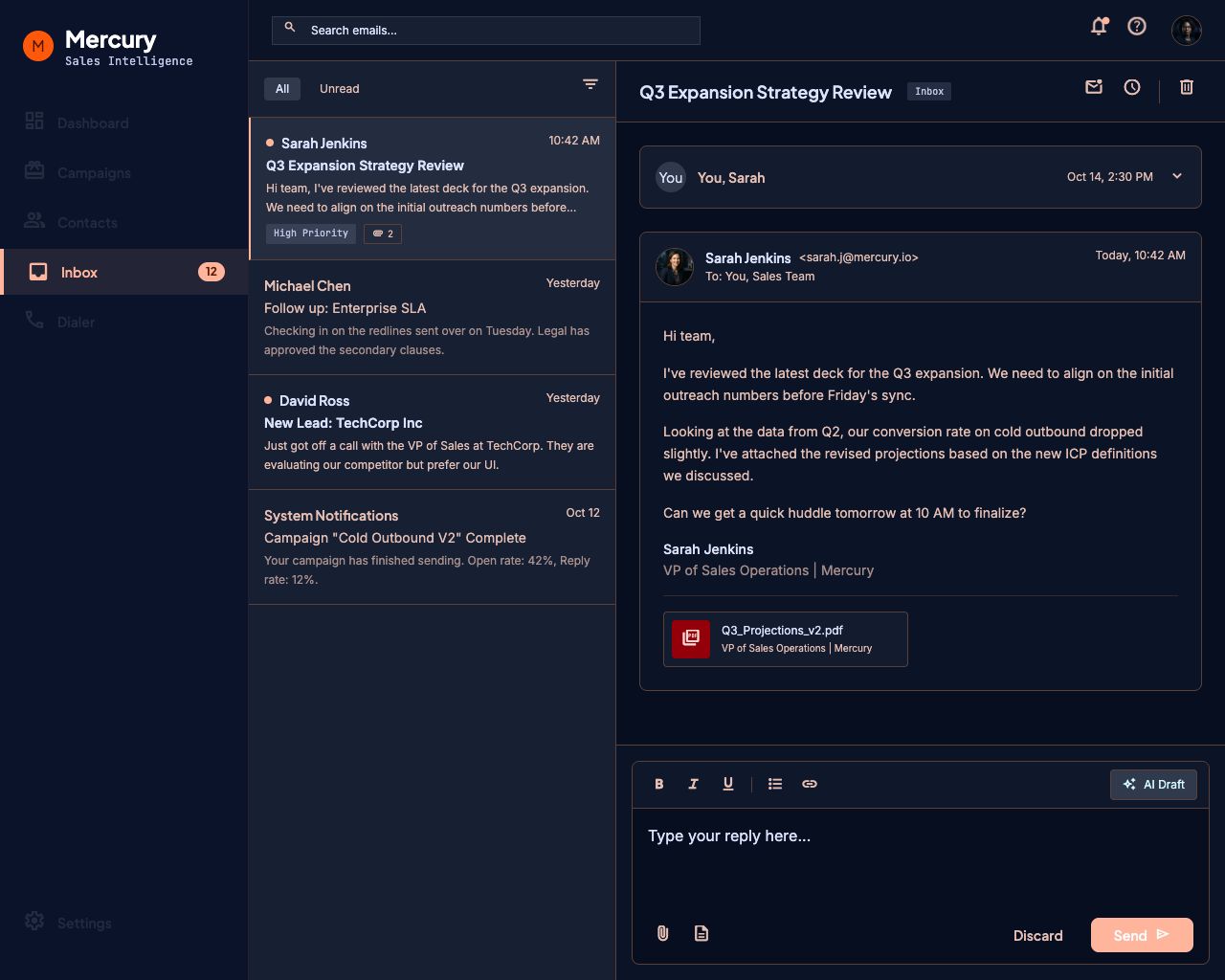
Mercury syncs your Microsoft 365 mailbox in both directions, in real time. Replies land in Mercury attached to the lead and the sequence that produced them — and stay in sync with Outlook.
The reply is the whole point of outbound, and it usually arrives in the one place your outreach tool cannot see. Reps discover it in Outlook, in the afternoon, three steps into a sequence that should have stopped that morning.
Mercury watches the mailbox properly, so the reply arrives where the context already is.
What it does
Real-time, not a five-minute poll
Mercury subscribes to Microsoft Graph push notifications, so a reply appears within seconds of landing in the mailbox. A delta sync runs alongside it as a safety net, and the two are deduplicated so nothing shows up twice.
Threads that find their own lead
Messages match to conversations using Microsoft's own conversation ID first, then a normalized subject, then the lead's address — so Re: and Fwd: chains stay in one thread instead of fragmenting.
Both directions
Sent items sync too. If a rep replies from Outlook on their phone, Mercury sees it, files it against the lead, and stops the sequence — the same as if they had replied in-app.
Replies stop sequences automatically
A reply from a lead freezes their sequence and marks them responded. Bounces mark the lead and stop the sends. Delivery and read receipts update the record when the recipient's server provides them.
Send from Mercury, arrive as you
Replies you write in Mercury go out through your own mailbox with proper threading headers, so the prospect sees a normal conversation from a normal person.
How it works
- 01
Connect Microsoft 365
Sign in with your work account.
- 02
Mercury subscribes
It registers a real-time subscription and pulls recent history.
- 03
Replies appear
Each one attached to its lead and the campaign that produced it.
- 04
Respond anywhere
Mercury or Outlook — both stay current.
What this replaces
Alt-tabbing to Outlook and hoping you caught the reply before the next step fired.
Questions people ask
Which email providers work with Mercury?
Microsoft 365 today, connected through Microsoft Graph. Google Workspace support is on the roadmap.
Does Mercury read my whole mailbox?
Mercury syncs your inbox and sent items to match replies to leads and to stop sequences. It does not scan unrelated folders, and message content is never used for anything beyond your own workspace.
What permissions does it ask for?
Signing in asks only for your identity. Mailbox permissions are requested separately, when you choose to connect a mailbox — so you can look around before granting anything.
Do replies I send from Outlook show up?
Yes. Sent items sync, and a manual reply to a lead stops their sequence automatically.
What happens if my token expires?
Mercury refreshes it automatically before it lapses. If a mailbox genuinely disconnects, sends pause for that user rather than failing silently.
Explore the rest of the platform
Sequences
Build one sequence that emails and calls the same lead. Absolute scheduling, personalization from any column, and automatic stop-on-reply.
Read more →CRM
Leads, owners, custom fields, and full activity history attached to the campaigns, emails, and calls that created them.
Read more →Deliverability
Per-mailbox caps, warm-up ramps, suppression lists, unsubscribe headers, and domain health checks — built in, not bolted on.
Read more →Give your reps their week back.
Connect a mailbox, import a list, and launch your first sequence.