AI voice agent
Early accessAI cold calls, in your rep's own voice.
Record ten seconds. Mercury clones the voice, dials your leads, handles the objections you've defined, and rings your rep's phone the moment a prospect is ready to talk.
A hundred dials produce four conversations. Reps spend their week earning the four and resenting the ninety-six.
Mercury's voice agent takes the ninety-six. It calls, it opens with the line you wrote, it answers the three objections everyone raises, and it knows when to stop. Prospects hear your rep's voice, because it is your rep's voice. The conversations that matter still reach a human — usually inside the same call.
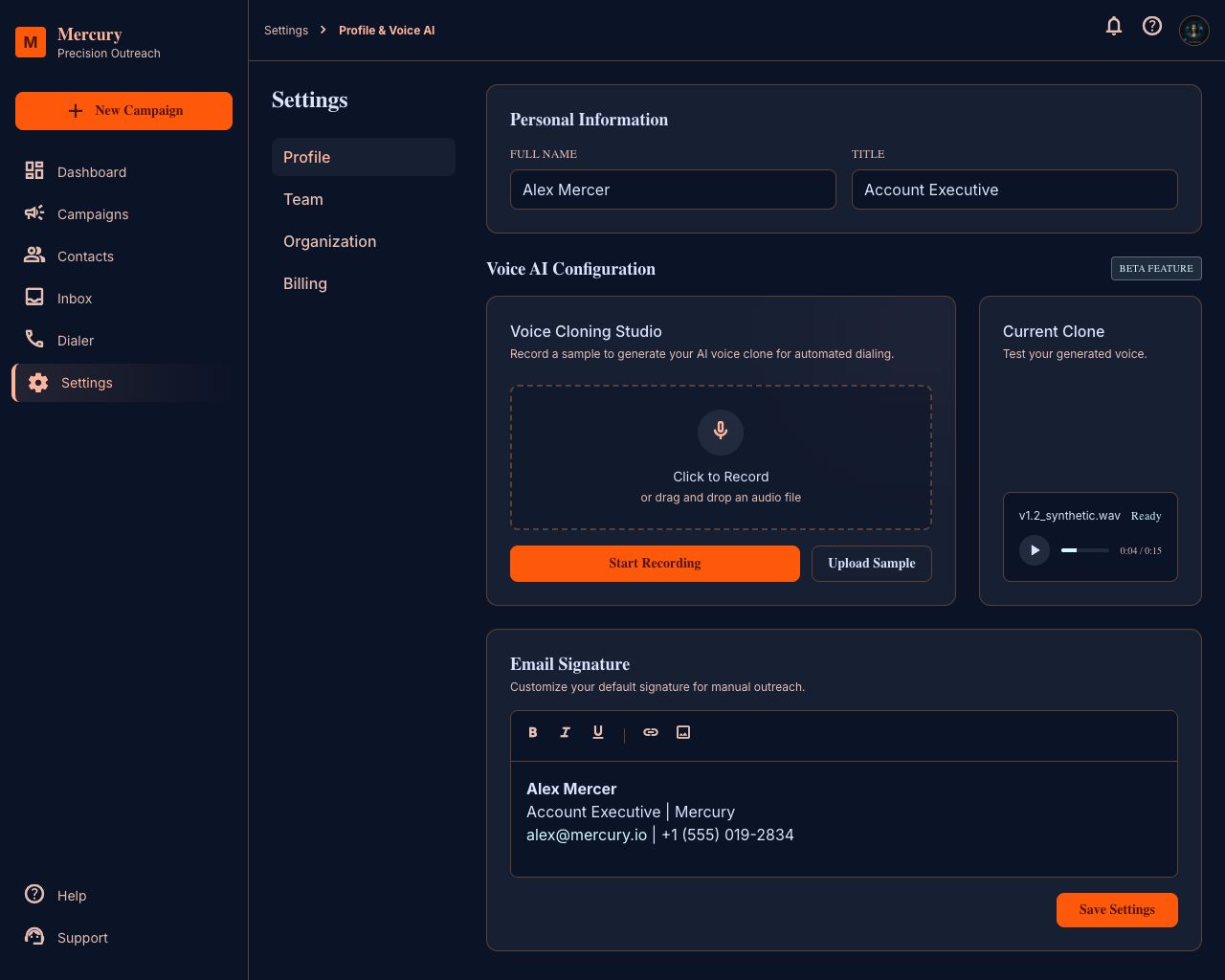
What it does
A voice that's actually theirs
Each rep enrolls their own voice with a short recording. Mercury validates the sample for noise and clipping, builds the model, and uses it for that rep's calls. Teams that skip enrollment fall back to a workspace default.
- Consent-first: reps enroll themselves and can delete their profile at any time
- We never clone a voice from a call recording or a third party
- One profile carries across every campaign that rep owns
Conversations you define, not a black box
You set the call's objective, the exact opening sentence, and an objection matrix in your own words. The agent works toward the objective and stays inside your language.
- Opening lines support the same variables as your emails
- Objection handling is a list you write and edit, not a model you hope behaves
- Every call is transcribed and stored against the lead
It knows when it's talking to a machine
Answering-machine detection decides what happens next, and you choose the policy per step: hang up silently, leave a voicemail you scripted, or retry tomorrow.
Live transfer when it's working
Buying signals trigger a transfer — Mercury bridges the call straight to the rep's softphone in the browser. The prospect never hangs up and redials, and the rep arrives with the transcript already on screen.
The outcome writes itself back
After the call, Mercury extracts the fields you asked for — budget, timeline, current provider, whatever you defined — and writes them to the lead. Positive intent freezes the sequence the same way an email reply does. A hard no goes to the suppression list and nothing touches that lead again.
How it works
- 01
Enroll a voice
The rep records a short sample and approves it.
- 02
Add a voice step
Drop it into any sequence and write the objective, opening line, and objections.
- 03
Set the machine policy
Voicemail, hang up, or retry tomorrow.
- 04
Launch
Calls place on schedule, transcripts and outcomes land on the lead, and ready-to-talk prospects ring your rep.
What this replaces
The hours between the dial and the conversation.
Questions people ask
Is AI cold calling legal?
It depends on the jurisdiction and on what you disclose, and the rules are tightening in most markets. Mercury is built for the compliant version of this: do-not-call suppression, one call per lead per day, honest identification when asked, and a complete record of every call. Check your local requirements — we have built the controls that let you meet them.
Does the AI admit it is an AI?
Yes, when asked. We do not ship an agent that claims to be human. Deceiving a prospect is both a legal risk and a terrible first impression for a rep whose voice is on the line.
Will it sound robotic?
It uses your rep's cloned voice rather than a synthetic stock voice, and it detects answering machines so it is not performing for voicemail. It will not fool everyone, and it is not meant to — it is meant to open the conversation your rep finishes.
What happens if the prospect wants a human immediately?
The call transfers to the assigned rep's softphone. If nobody is available, the agent takes the callback preference and logs it as a task.
How many calls can it make?
One per lead per day, across every campaign — a hard limit, not a setting. Total volume depends on your plan and your numbers.
Who owns the voice model?
The rep does. Deleting a voice profile deletes the model, and it is never used for anyone else's campaigns.
Explore the rest of the platform
Sequences
Build one sequence that emails and calls the same lead. Absolute scheduling, personalization from any column, and automatic stop-on-reply.
Read more →CRM
Leads, owners, custom fields, and full activity history attached to the campaigns, emails, and calls that created them.
Read more →Deliverability
Per-mailbox caps, warm-up ramps, suppression lists, unsubscribe headers, and domain health checks — built in, not bolted on.
Read more →Give your reps their week back.
Connect a mailbox, import a list, and launch your first sequence.