CRM
A CRM that already knows what your sequences sent.
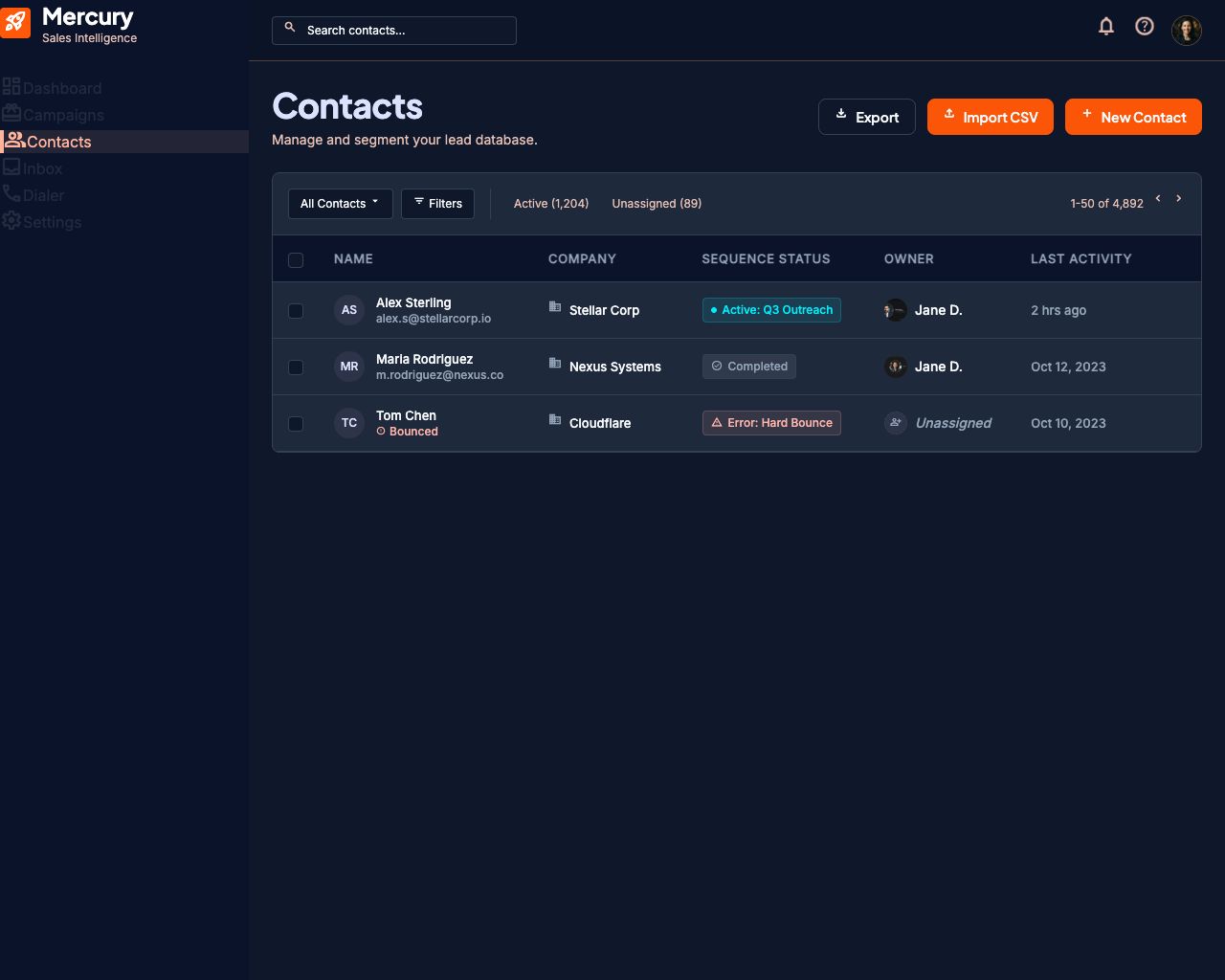
Leads, owners, custom fields, and complete history — attached to the campaigns, emails, and calls that created them. Nothing to sync, nobody logging activity by hand.
Outbound CRMs fail in one specific way: the record is always a day behind the work. A rep sends an email in one tool, makes a call in another, and updates the CRM last — or never.
Mercury's CRM is not a system the work reports to. It is the system the work happens in, so the record is current by construction.
What it does
Import that does not create duplicates
Drop in a CSV or Excel file. Mercury maps your columns, then runs three checks: duplicates inside the file, contacts already in your workspace, and anyone currently enrolled in another active campaign.
- Conflicts are shown before anything imports, with the reason for each
- Contacts in finished campaigns are re-assigned rather than duplicated
- Every unmapped column is preserved as a usable custom field
One contact, one record
A lead exists once in your workspace, no matter how many campaigns have touched them. Their history — emails sent, opens, replies, calls, transcripts, outcomes — accumulates on that one record instead of scattering across campaign silos.
Ownership that survives a growing team
Every lead has an owner and an assignee, and teams can share a pipeline without stepping on each other. Supervisors reassign in bulk; private leads stay private.
Custom fields that do real work
The columns you imported are not dead metadata. They are the variables your emails and call scripts personalize with, and the fields your AI calls write back into.
How it works
- 01
Import
Bring a list, or let campaigns create contacts as they run.
- 02
Assign
Set owners and visibility for your team.
- 03
Work
Every send, open, reply, and call attaches itself to the record.
- 04
Act
Filter on what the data tells you and enroll the right people next.
What this replaces
A spreadsheet, and the twenty minutes at the end of each day nobody actually spends updating it.
Questions people ask
Does Mercury replace Salesforce or HubSpot?
For teams whose main job is outbound, usually yes. Teams that run a larger CRM as their system of record will want two-way sync, which is on the roadmap rather than in the product today.
What file formats can I import?
CSV, XLSX, and XLS. Mercury reads the header row and lets you map columns before anything is created.
What happens to a lead who is already in another campaign?
Mercury flags them during import and skips them by default, so nobody gets two pitches at once. You can queue them to enroll automatically when their current sequence ends.
Can reps see each other's leads?
That is your call. Leads are public to the workspace by default and can be set private per contact; supervisors see their team either way.
Is there a limit on custom fields?
No. Every extra column you import is kept and usable as a variable.
Explore the rest of the platform
Sequences
Build one sequence that emails and calls the same lead. Absolute scheduling, personalization from any column, and automatic stop-on-reply.
Read more →Unified inbox
Two-way Microsoft 365 sync puts every reply next to the campaign that earned it. Reply from Mercury or Outlook — both stay in sync.
Read more →AI voice agent
Early accessAI voice agents that call your leads in your rep's cloned voice, handle objections, detect voicemail, and transfer live when a prospect is ready.
Read more →Give your reps their week back.
Connect a mailbox, import a list, and launch your first sequence.