Your sales team's entire outreach stack. Plus an AI that makes the calls.
Mercury runs multi-step sequences that send the emails and place the calls — including AI voice calls in your rep's own voice. CRM, Microsoft 365 inbox, and the deliverability rails that keep your domain alive, all in one place.
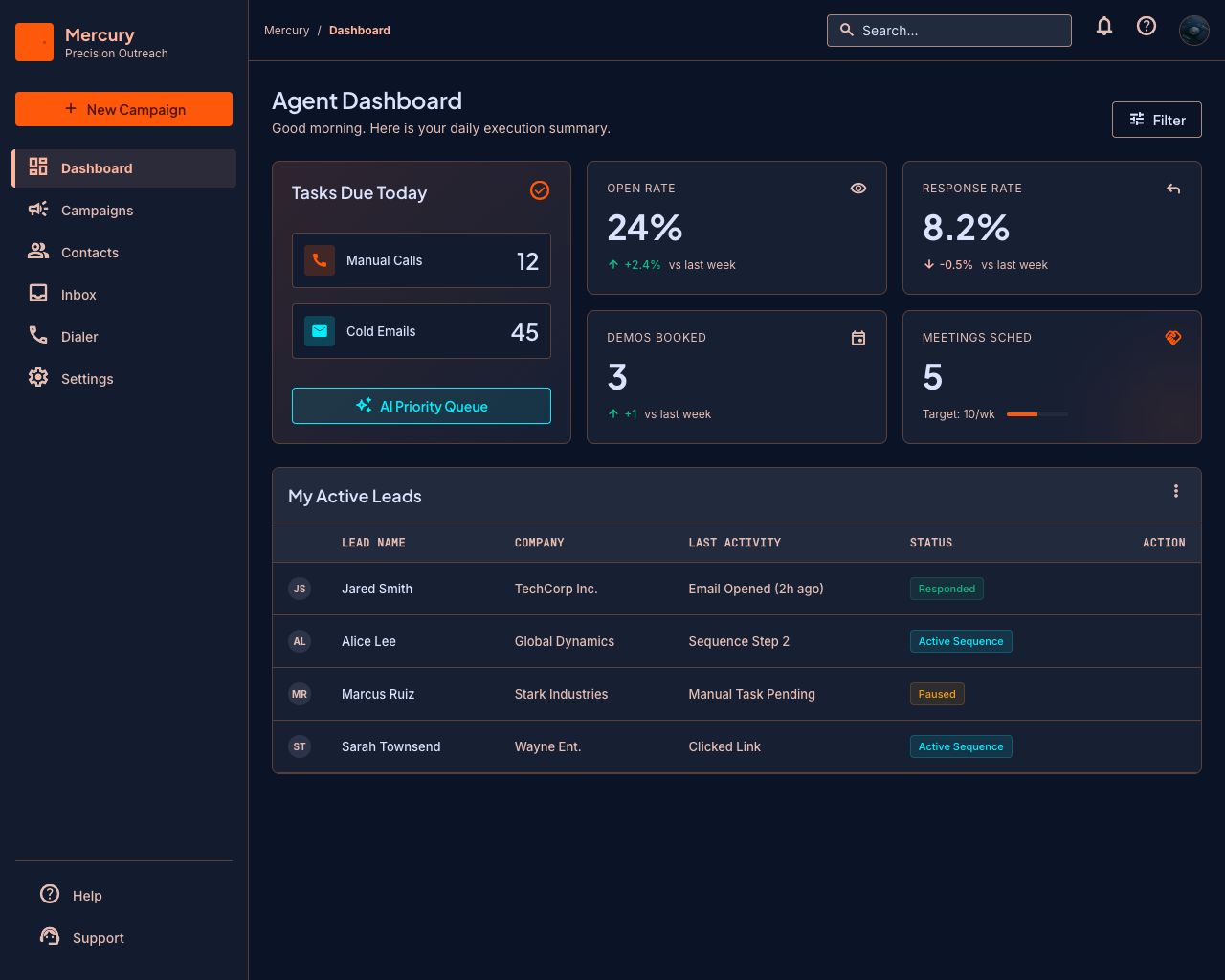
Built on Microsoft 365 and Telnyx. Your mailboxes, your numbers, your data.
How teams grow into Mercury
Start with your reps. Add the AI when you're ready.
Your team sends
Sequences, the dialer, the shared inbox, the CRM. Everything a rep touches in a day, in one window instead of four subscriptions.
AI assists
Early accessDescribe the campaign you want. Mercury drafts the sequence, the emails, and the call scripts, and hands them to you for review before anything sends.
AI sells
Early accessTurn a step into an AI voice call. Mercury dials, speaks in your rep's cloned voice, handles objections, and books the meeting — then writes the outcome back to the lead.
Everything a sales team needs, in one place
Five parts of the same system. They share one contact record, one set of rules, and one inbox.
Sequences
One builder for every touch. Step one is an email, step three is a phone call, step five is an AI voice call — same contact, same timeline, same rules. No exports, no second tool, no guessing what happened last Tuesday.
Sequences in detail →- Absolute scheduling — every step lands when you chose
- Personalization from any column in your spreadsheet
- Replies stop the sequence automatically
AI voice agent
Early accessRecord ten seconds. Mercury clones the voice, dials your leads, handles the objections you've defined, and rings your rep's phone the moment a prospect is ready to talk.
AI voice agent in detail →- Answering-machine detection: hang up, voicemail, or retry
- Objection handling you define, in your own words
- Live transfer rings your rep's softphone
CRM
Leads, owners, custom fields, and complete history — attached to the campaigns, emails, and calls that created them. Nothing to sync, nobody logging activity by hand.
CRM in detail →- Import from CSV or Excel — every column becomes a variable
- One contact, one record, however many campaigns touch them
- Assignment and visibility rules for shared pipelines
Unified inbox
Mercury syncs your Microsoft 365 mailbox in both directions, in real time. Replies land in Mercury attached to the lead and the sequence that produced them — and stay in sync with Outlook.
Unified inbox in detail →- Real-time sync — replies appear as they arrive
- Threads matched to leads automatically
- Reply from Mercury or Outlook; both stay in sync
Deliverability
Sending volume is easy. Staying deliverable is the hard part — so the limits, the pacing, the suppression, and the compliance headers are built into the engine instead of being your job to remember.
Deliverability in detail →- One email and one call per lead per day, across every campaign
- Per-mailbox caps, warm-up ramps, and human-paced timing
- Suppression lists, one-click unsubscribe, domain health checks
Running in an afternoon
- Step 1
Connect Microsoft 365
Sign in with your work account. Mercury sends from your real mailbox — not a shared relay that lands in spam.
- Step 2
Bring your leads
Drop in a CSV. Mercury maps the columns, catches duplicates, and flags anyone already in an active campaign.
- Step 3
Launch the sequence
Emails go out on your schedule, calls get placed, replies land in your inbox, and the CRM stays current without anyone updating it.
Built to be trusted with your pipeline
Outreach software touches your domain, your mailbox, and your reps' voices. Here is how we treat them.
Your mailbox, your reputation
Mercury sends through Microsoft Graph from your own Microsoft 365 account. No shared IPs.
Consent-first voice cloning
Reps enroll their own voice and can delete it at any time. We never clone a voice without that person’s explicit consent.
Compliance built in, not bolted on
Unsubscribe headers, suppression lists, and do-not-call handling ship in the product.
Your data stays yours
Per-organization isolation, encrypted credentials, and export whenever you want it.
Questions people ask
What is an AI SDR?
An AI sales development rep handles the repetitive top-of-funnel work a human SDR does — sending sequenced emails, making first-touch calls, qualifying interest, and logging the outcome. Mercury places real phone calls in your rep's voice, handles common objections, and hands warm prospects to a human. It does not replace your team; it removes the hundred dials that produce four conversations.
Does Mercury send email from my own address?
Yes. Mercury connects to your Microsoft 365 mailbox and sends through it, so replies thread normally and your domain reputation is your own. Nothing goes through a shared sending service.
Will the AI calls sound like a robot?
They use your rep's own cloned voice, built from a short sample they record themselves, and they detect answering machines so they do not talk to voicemail. Prospects hear a familiar voice, and anyone who wants a human gets transferred to one.
Is AI cold calling legal?
It depends on where you are calling and what you disclose, and the rules are tightening. Mercury is built for the compliant version: do-not-call suppression, per-lead contact limits, honest identification, and full call records. We would rather you close fewer deals than collect a regulator's attention.
Will this hurt my email deliverability?
Not if the guardrails do their job. Mercury caps sends per mailbox, ramps new mailboxes gradually, spaces messages at human intervals, stops sequences the moment someone replies, and checks your SPF, DKIM, and DMARC records when you connect an account.
Does Mercury replace my CRM?
For most outbound teams, yes — leads, ownership, activity history, and call logs live in Mercury. Teams running Salesforce or HubSpot as their system of record will want the sync integrations, which are on the roadmap rather than in the product today.
How is this different from a dialer or a cold email tool?
Those are single-channel. A cold email platform cannot call anyone; a dialer does not know what you emailed last Tuesday. Mercury runs both as steps in one sequence against one contact record, which means the follow-up call knows the email went unanswered.
Give your reps their week back.
Start free. Connect a mailbox, import a list, and launch your first sequence today.